Overview
Prologue: Go Wayback! contains a large number of items, especially food and drink-related items. Like most survival games, balancing these items is a challenge, and there are multiple ways to approach it.
Given the size of our design team, I wanted a workflow that minimized maintenance, reduced opportunities for error, and allowed designers to focus on balancing rather than data management. Very early on, we adopted a simple principle: Game data should be the single source of truth.
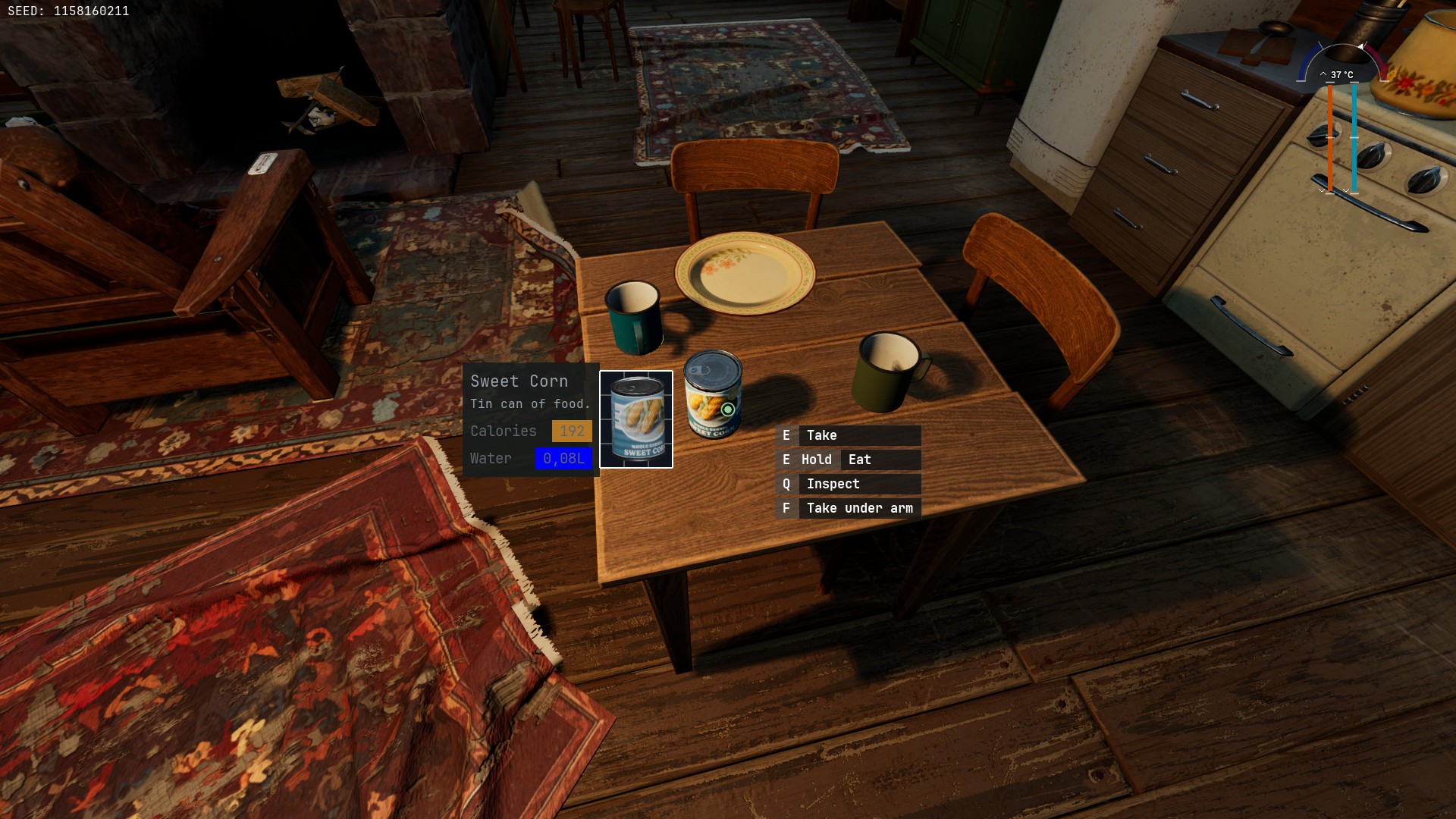
The Problem with Spreadsheets
Like all designers, I absolutely love building systems, tweaking systems, and understanding systems with spreadsheets. However, I like to avoid friction as much as possible, and errors even more.
Tweaking a game in spreadsheets and then manually copying values back into the game is definitely a no-go for me. Of course, there are many ways to make spreadsheets part of the balancing workflow. You can export CSVs, edit them externally, and import them back into the game. Many teams successfully work this way.
The problem is that every time data moves back and forth, it creates opportunities for mistakes. Values become desynchronized. Data gets duplicated. People lose confidence in the numbers they are looking at. Any process that involves manually moving data between multiple tools eventually becomes tedious, error-prone, and difficult to maintain.
Defining a Single Source of Truth
Given the size of our design team, it was essential to avoid maintaining the same data in multiple places. We decided early on that the game itself would be the source of truth.
Because we were using Unreal Data Assets, editing and maintaining game data was already relatively straightforward thanks to Unreal’s Property Matrix.
What we were missing was not a way to edit the data. What we needed was a way to visualize and analyze it. The goal was never to create another database inside a spreadsheet. The spreadsheet would become a lens through which we could understand the game’s data.
Building the Pipeline
Python is integrated into Unreal, making it relatively straightforward to export data directly from Data Assets. Rather than exporting raw data and manually building spreadsheets around it, I decided to generate formatted spreadsheets automatically.
The export process transformed game data into something immediately useful for analysis. During the export, additional values could also be calculated automatically. For example, instead of only displaying how much hunger a food item restored, I could calculate how many seconds of survival that item represented. This allowed balancing decisions to be based on player-facing outcomes rather than raw numbers.
The export process also automatically sorted items, grouped them by category, and organized them according to the way we reasoned about the game’s systems. As a result, the spreadsheets became a visualization and analysis tool rather than a typical data entry tool.
Designing Spreadsheets for Analysis
Items were grouped by category, such as tools, clothes, backpacks, food, and drinks. They were also categorized by tier. Some tiers were based on arbitrary design classifications, like tools, while others were generated algorithmically. For example, food items above a specific calorie threshold could automatically be grouped into a higher tier.
Because the spreadsheet was generated from the same data, I could also create multiple views of the same items without duplicating anything. One sheet could show food ordered by calories, another by water content, another by inventory size, and another by calorie density.
This was especially useful for values that were difficult to understand in isolation. For example, cooking could reduce the inventory size of an item while increasing its calories, therefore increasing its calorie density. On paper, this is easy to miss. In a generated spreadsheet, the before and after values could be displayed side by side, making the impact of cooking immediately visible.
I also converted raw values into player-facing outcomes whenever possible. A value such as “+200 calories” is not very meaningful on its own. Converting it into playtime made it much easier to understand what the value actually meant for the player, and therefore much easier to tweak.
Finally, visual formatting helped detect outliers quickly. Color gradients made unusual values stand out, allowing us to spot items that were too efficient, too weak, or inconsistent with the rest of their category.
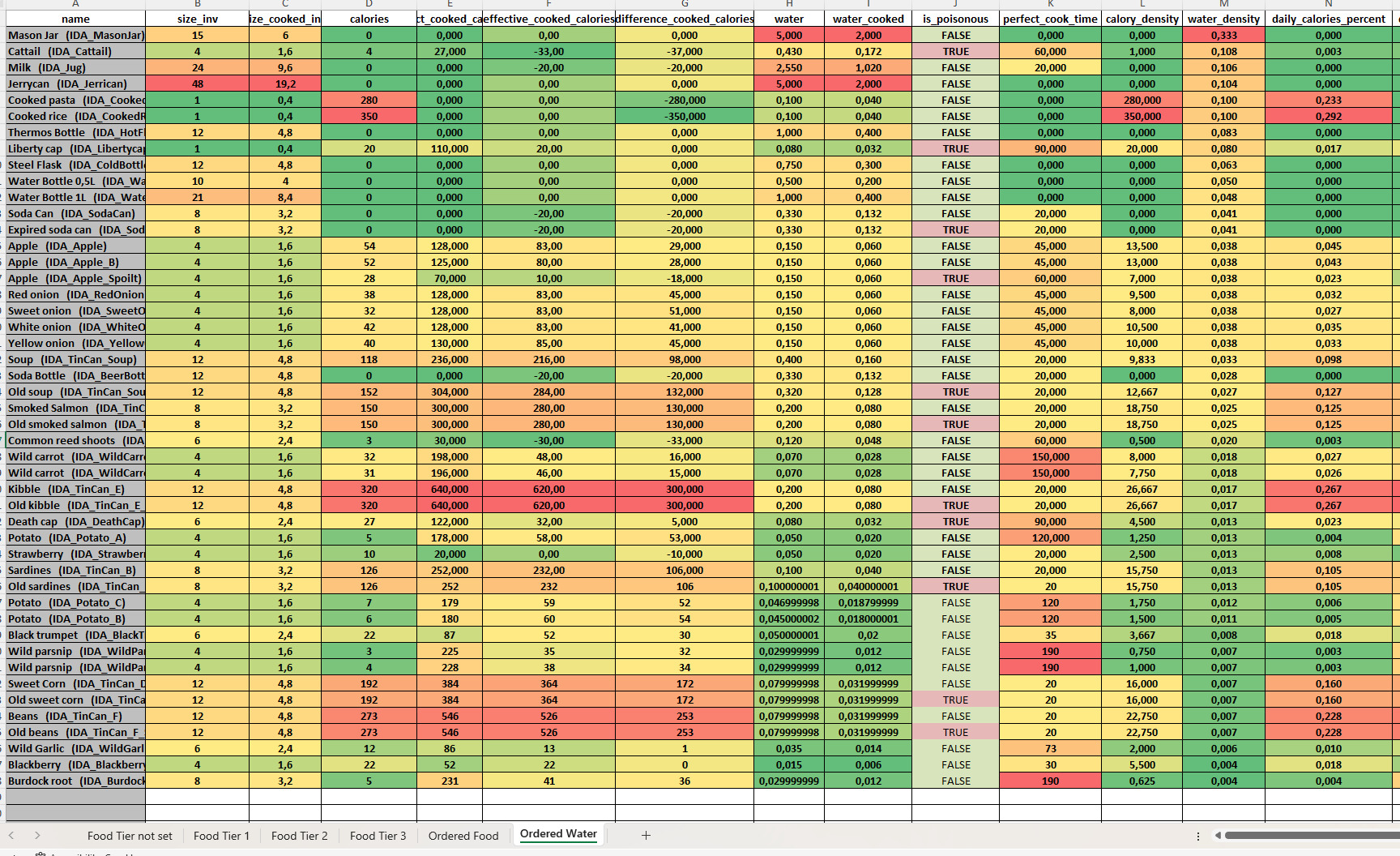
It is easy to identify values that sit outside normal ranges.
Most information here is derived from a few variables directly tweaked in the engine.
Impact
The biggest benefit was not only the time saved but also the confidence in our data and communication efficiency. Although the export process was manual, the spreadsheets were generated directly from game data. This meant there was no need to maintain a second version of the data in spreadsheets or manually synchronize values between tools.
As a result, the risk of human error was significantly reduced. The spreadsheets became snapshots of the game’s current state rather than separate documents requiring their own maintenance.
The generated spreadsheets also became useful communication tools. Design changes could be discussed using generated data, and team members could quickly understand the impact of balancing decisions without having to inspect Data Assets directly.
Quality Assurance particularly benefited from this workflow. Rather than chasing designers to confirm item values, QA could refer to the exported spreadsheets, knowing that the values originated directly from the game data.
The export process also helped uncover inconsistencies in the data itself. Over time, some Data Assets had been duplicated and renamed, resulting in mismatches between asset names and displayed item names. Seeing all items side-by-side in a generated spreadsheet made these inconsistencies immediately visible and easier to clean up.
Because the spreadsheets were generated from inside the engine, team members without access to Unreal could not generate them themselves. Someone with engine access first needed to perform the export. In practice, the export process only took a few moments, so the tradeoff was acceptable.
While I would have preferred to automate the export process as part of the build pipeline, the available development time did not justify the investment. Even as a manual process, generating the spreadsheets took only a few moments and provided most of the benefits of a fully automated solution.
Lessons Learned
The biggest lesson was that spreadsheets are excellent visualization tools, but poor sources of truth.
Duplicating data creates friction, maintenance costs, and opportunities for mistakes.
Keeping the game as the single source of truth allowed us to focus on balancing rather than data management.
Another lesson was that tooling should remove repetitive work rather than create more of it. Every minute spent moving data around manually is a minute not spent designing, balancing, or solving actual problems.
By treating spreadsheets as generated outputs rather than editable databases, we were able to reduce errors, improve communication, and make balancing significantly more efficient.